
 By PrestaTips
DataFirefly publishes a series of small, very handy PrestaShop modules that fill a few gaps. They are free, compatible with PrestaShop 8 and 9, and install in one click from the back office. Let’s take a tour!
Customize CSS and JavaScript with the code injector
Adding a tracking script, a Google verification tag, or a bit of CSS to fix a theme detail… you always end up editing header.tpl or footer.tpl by hand — and it all gets wiped out on the next update.
For CSS there’s also the child theme method, which is quite tedious: generate the child theme, edit it, and upload it… very tedious… you could also go through FTP, but that’s slow. People used to WordPress and to “Customize CSS” are always stunned that such an option doesn’t exist natively in PrestaShop!
This module therefore injects your CSS, JS, and HTML snippets into the head tag or the footer from a dedicated interface: snippet management, on-the-fly activation, page targeting, display order, and multistore compatibility. No more need to touch the theme.
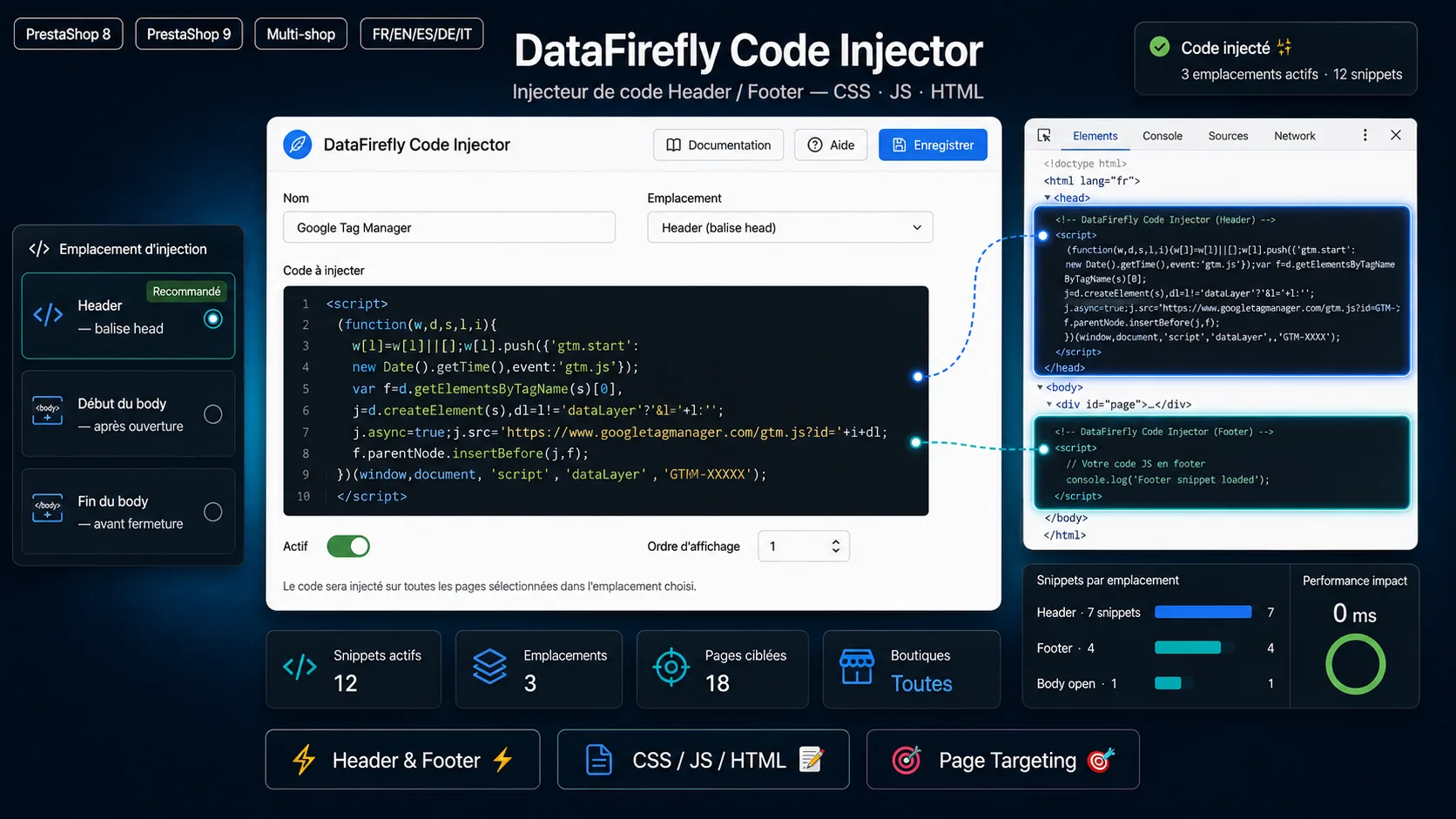
→ Header/Footer Code Injector (CSS/JS)
Accordion Product FAQ
A FAQ directly under the product page, in a native HTML accordion — without a single line of JavaScript. You enter the questions and answers by hand, and the module generates the structured schema.org/FAQPage markup, which helps with SEO and AEO (answers picked up by Google and AI engines). Lightweight, accessible, no dependencies.
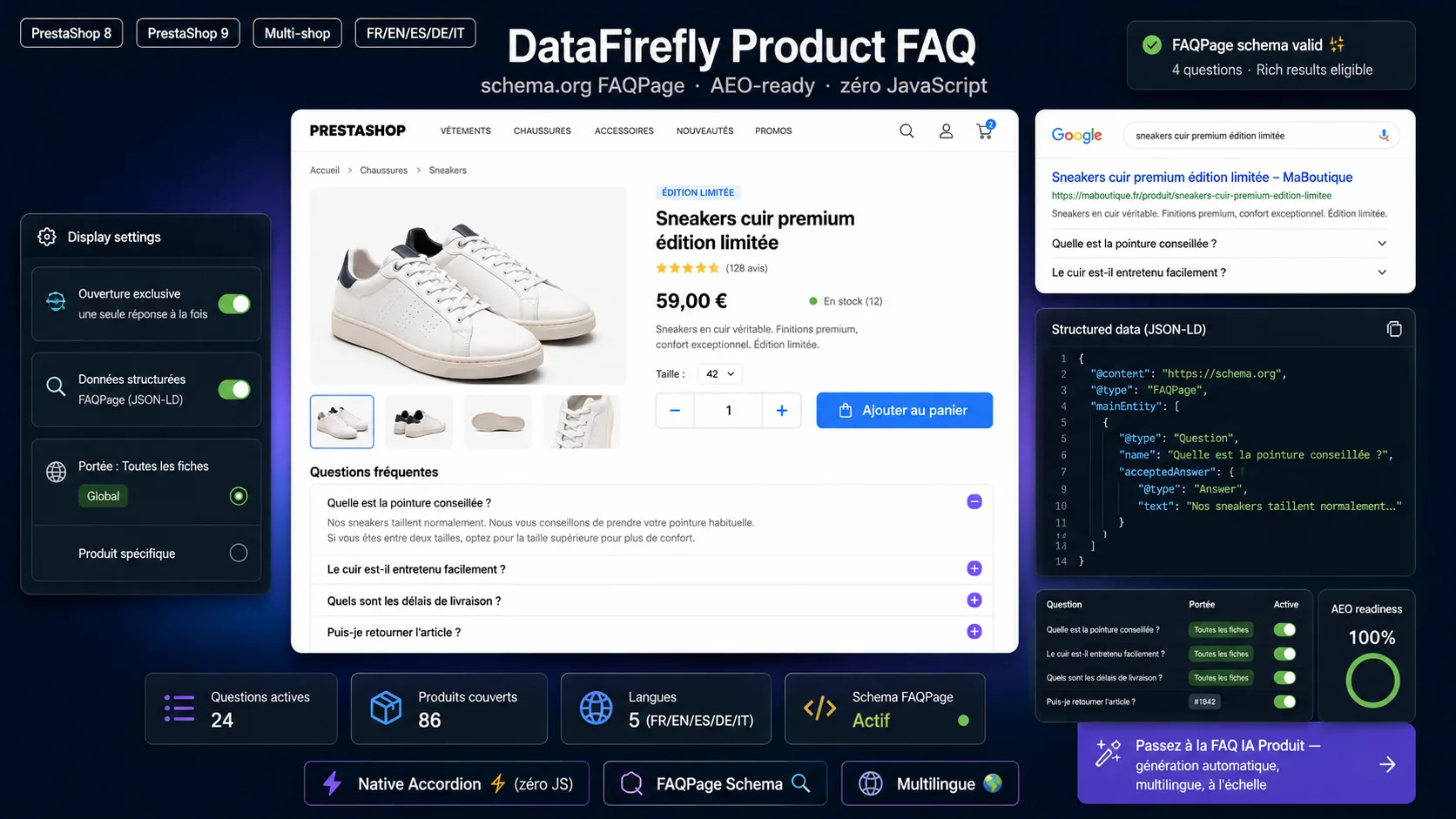
→ Product FAQ — Static Accordion
“Clear Cart” Button
On the cart page, a button that empties everything in one click — products and discount vouchers included — without the customer having to remove items one by one. A small UX detail missing from the native cart that helps avoid some cart abandonment.
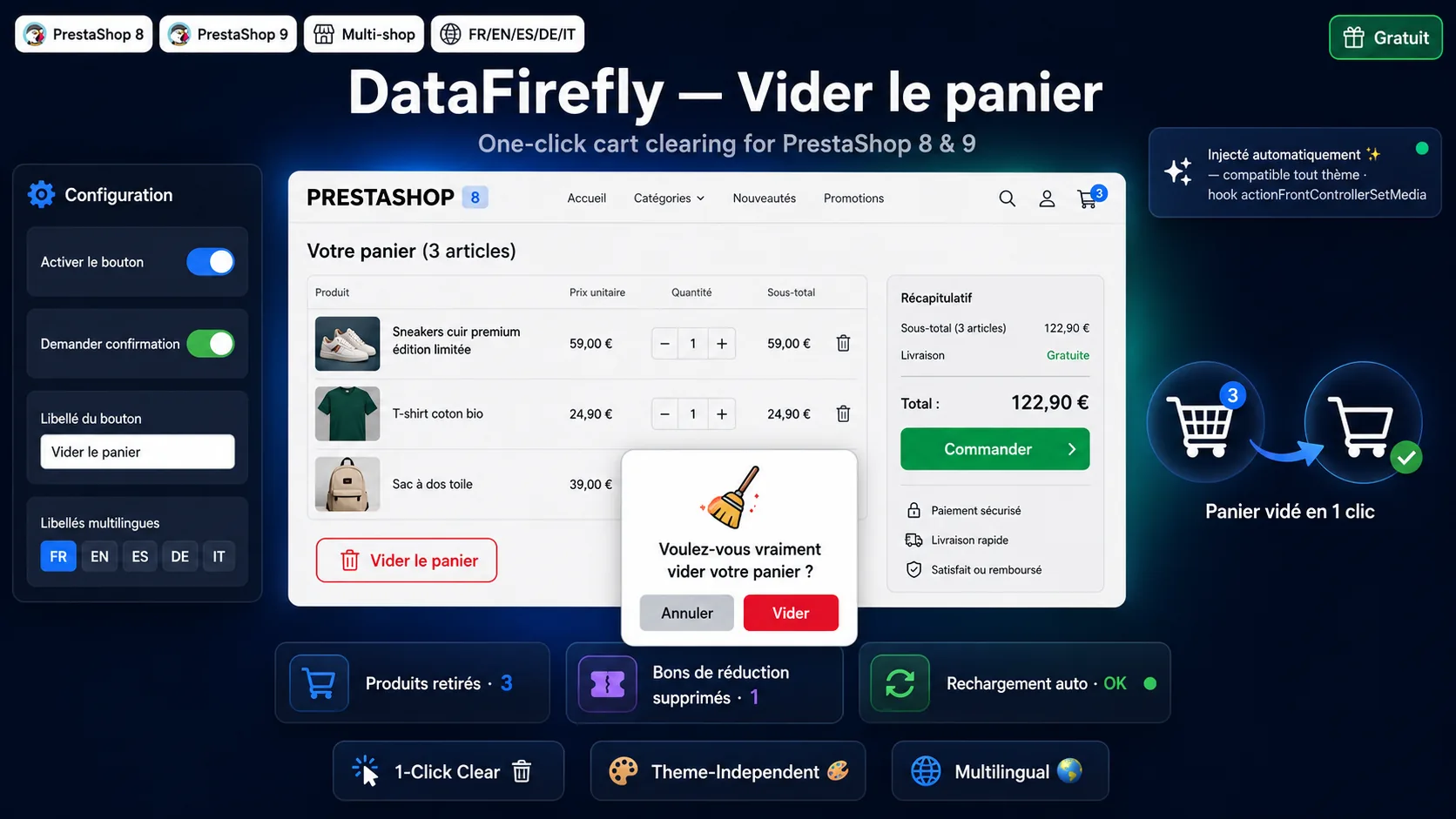
→ Clear Cart Button — PrestaShop 8 & 9
“Back to Top” Button
The classic scroll-to-top button, but done right: smooth fade-in, featherweight, and customizable (position, color, display threshold) from the settings. Useful on long category pages and lengthy product pages.
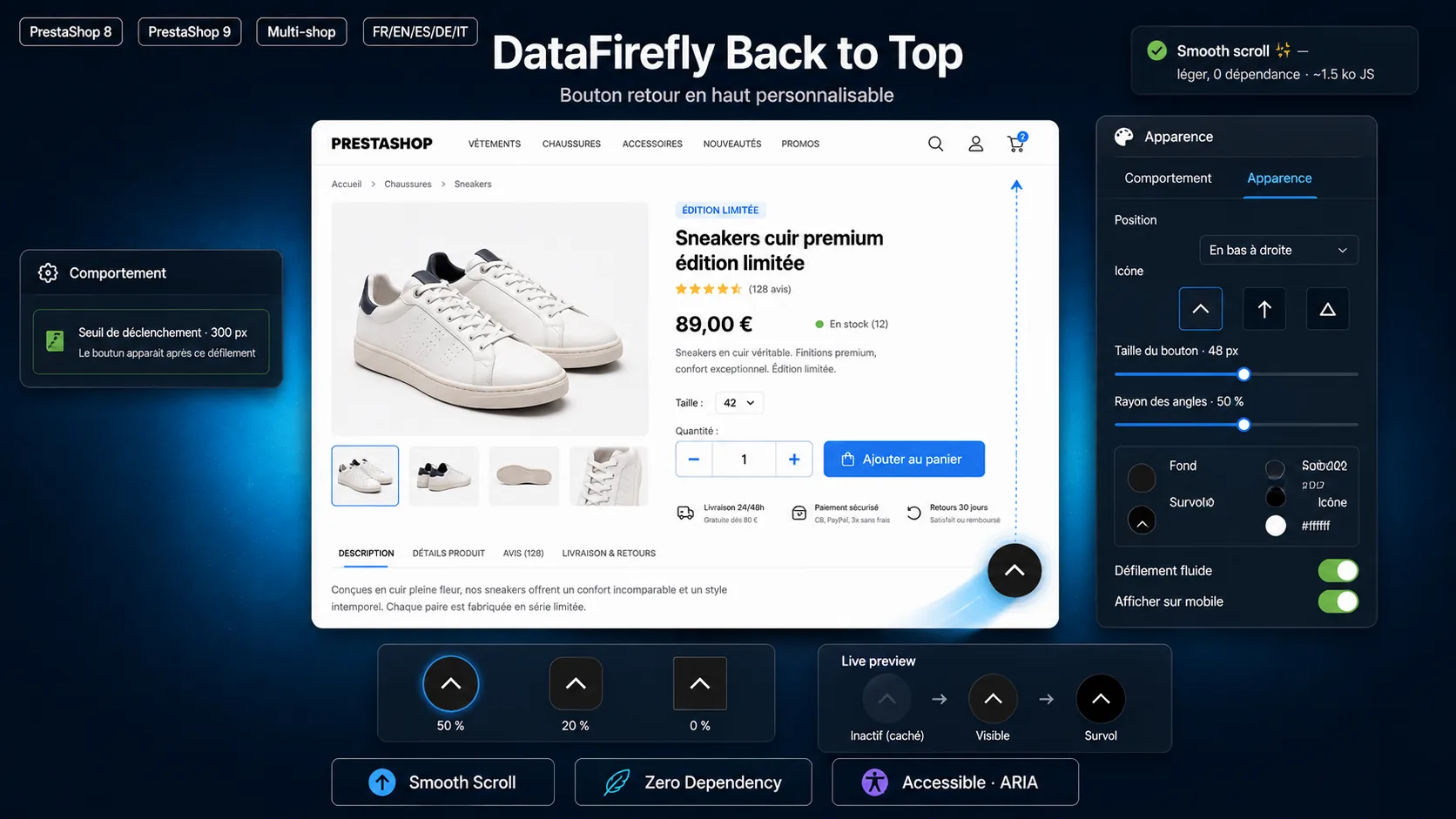
→ Back to Top Button (Scroll to Top)
+/− Quantity Buttons on the Product Page
The native quantity field, especially on mobile, is a pain to use. This module replaces it with real, touch-friendly + and − buttons around the field, with no template override — compatible with the Classic theme and custom themes. Install it, and it just works.
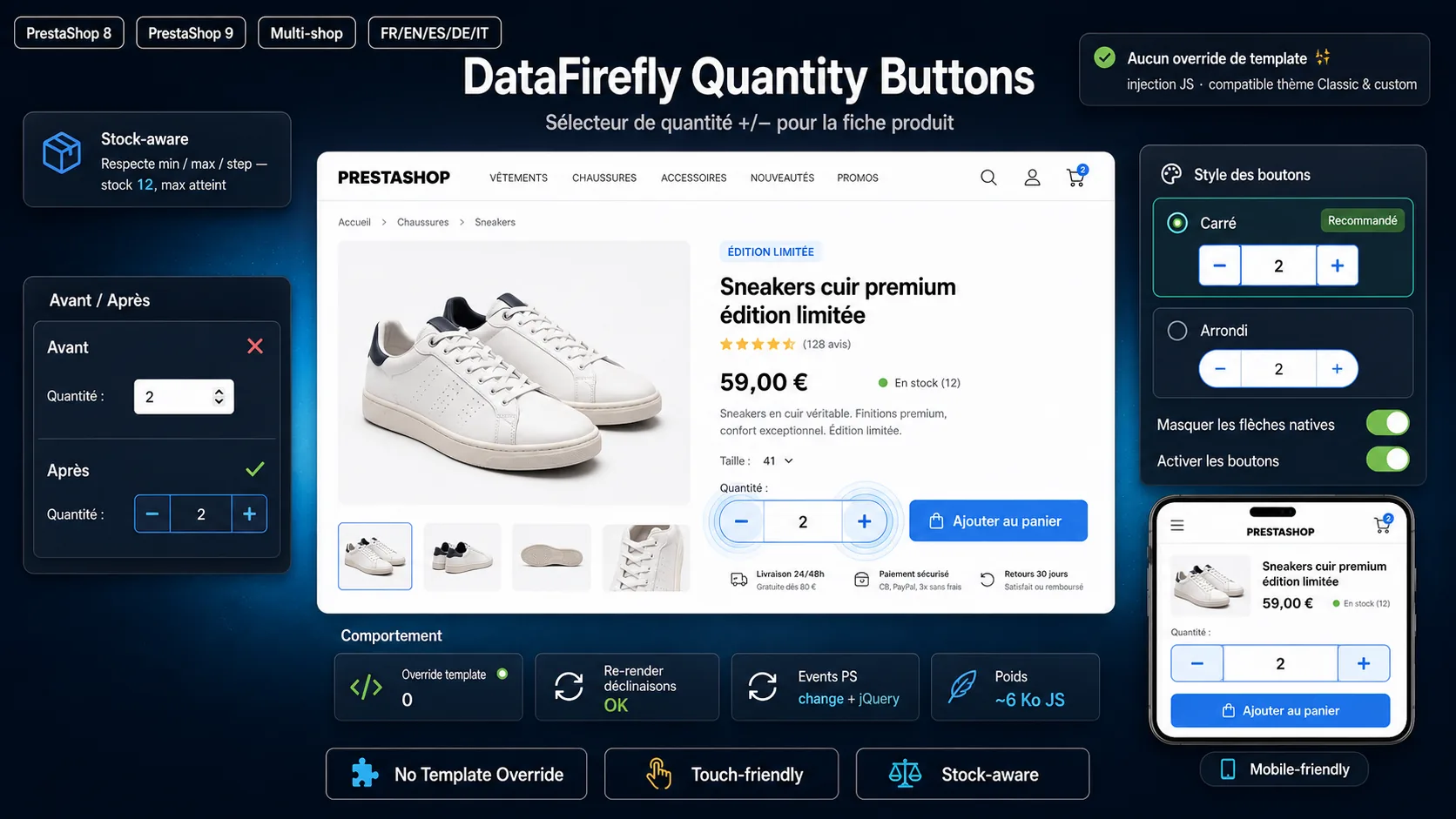
→ +/− Quantity Buttons on the Product Page
Easily Edit Your robots.txt File
Editing PrestaShop’s robots.txt normally requires going through FTP. This module edits, validates, and regenerates it in one click from the back office — handy for adjusting crawl behavior, blocking junk URL parameters, or letting (or not) AI crawlers through.
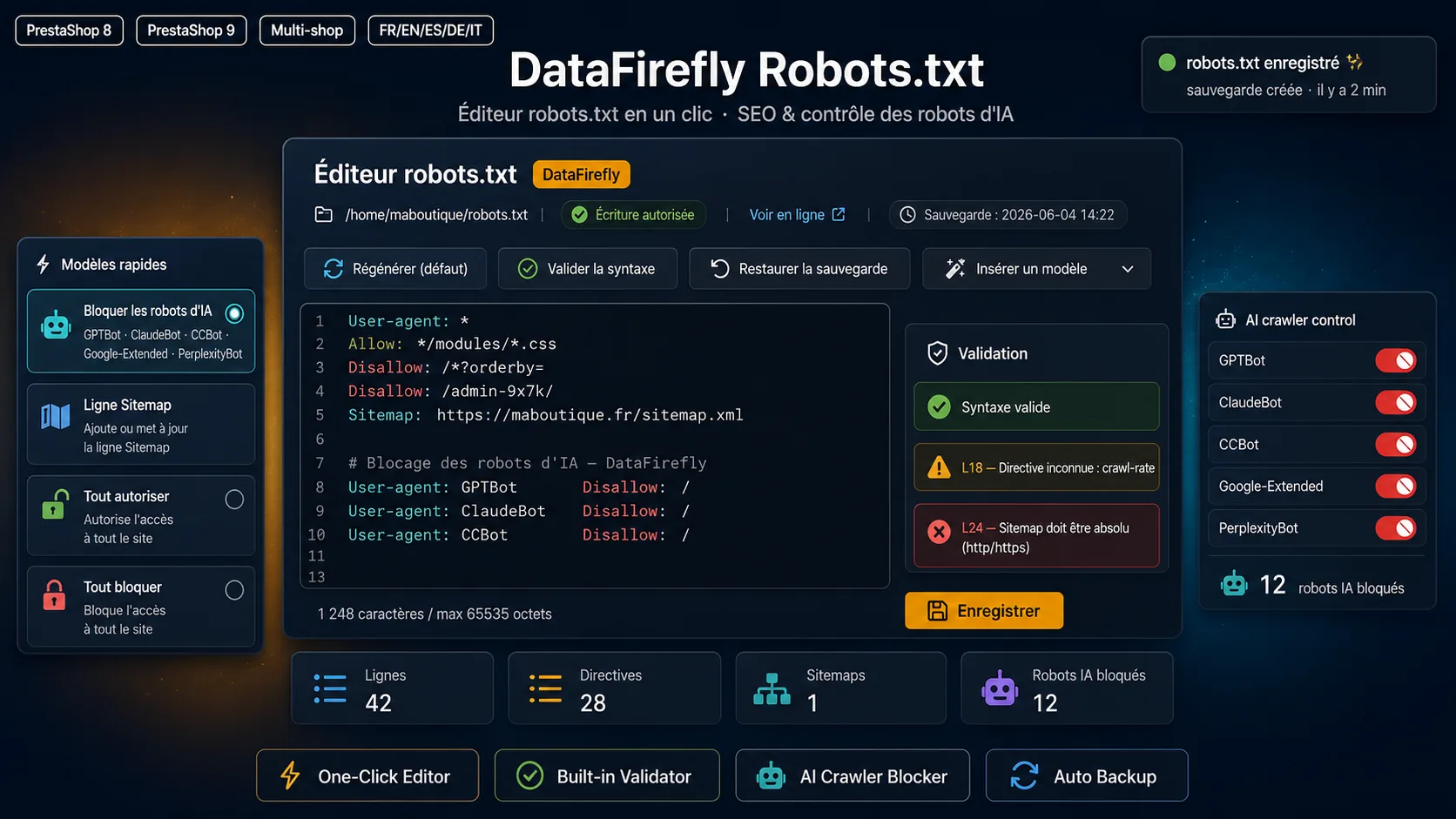
Clear the Cache from the Admin Bar
A “Clear Cache” button right in the back-office toolbar: Smarty, XML, Media, and Symfony caches purged in one click, without leaving your page or digging into Advanced Settings > Performance. Plus automatic purging after actions that need it.
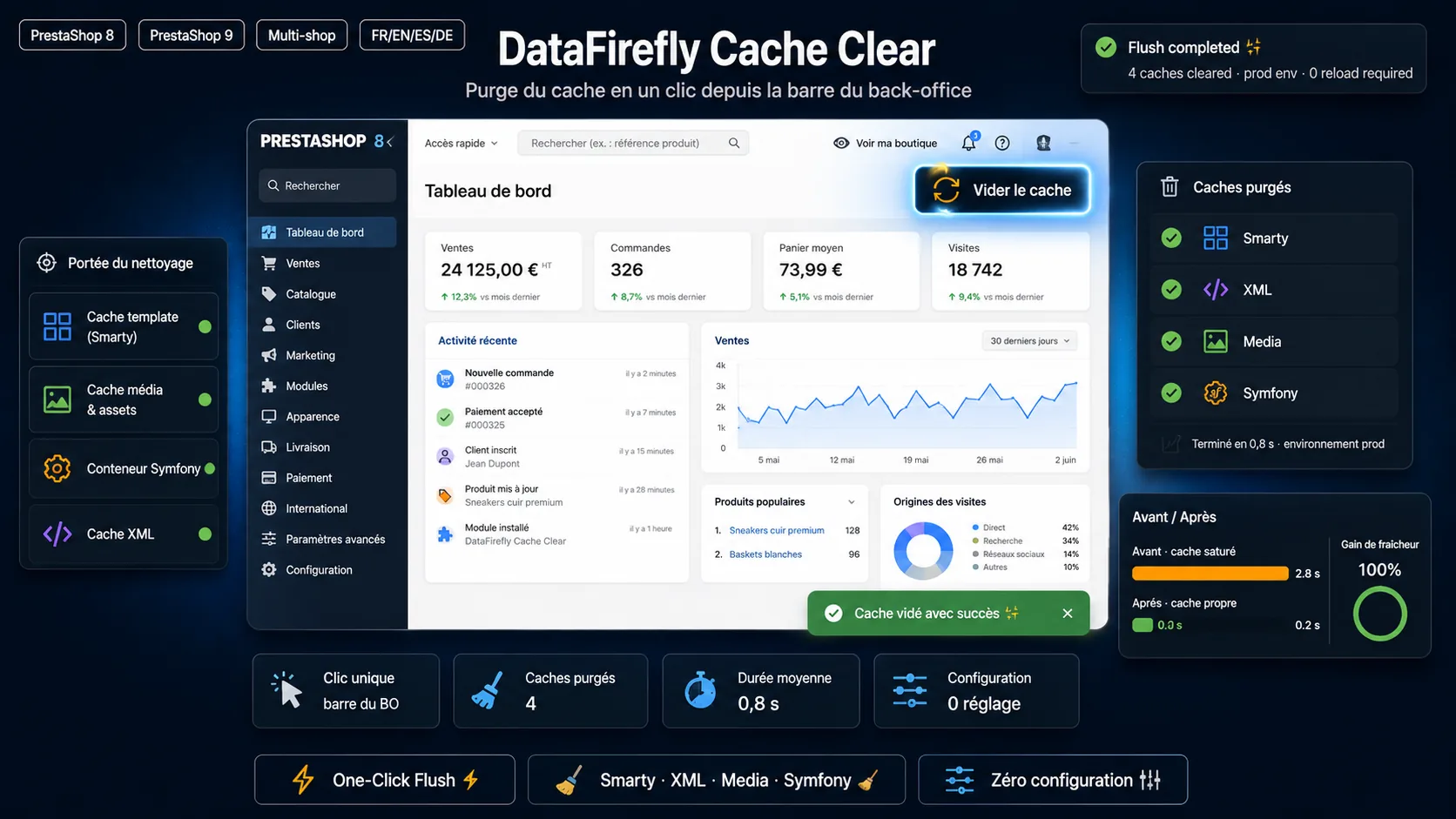
→ Clear PrestaShop Cache — Auto Purge
Premium modules too
In the same spirit — clean code, PS8/PS9 compatibility, and real support — DataFirefly also publishes a catalog of premium modules. A few of the most useful:
Smart Offers — Bundled Deals
Four types of bundled offers (pack, BOGO, free gift, bulk discount), with automatic gift add-to-cart and a polished presentation right on the product page. A way to boost average order value without tinkering with native promotion rules.

Smart Live Search
Instant search with product, category, and content suggestions from the very first letters typed — plus built-in search analytics so you can see what your visitors are looking for (and not finding). The search bar that actually converts.
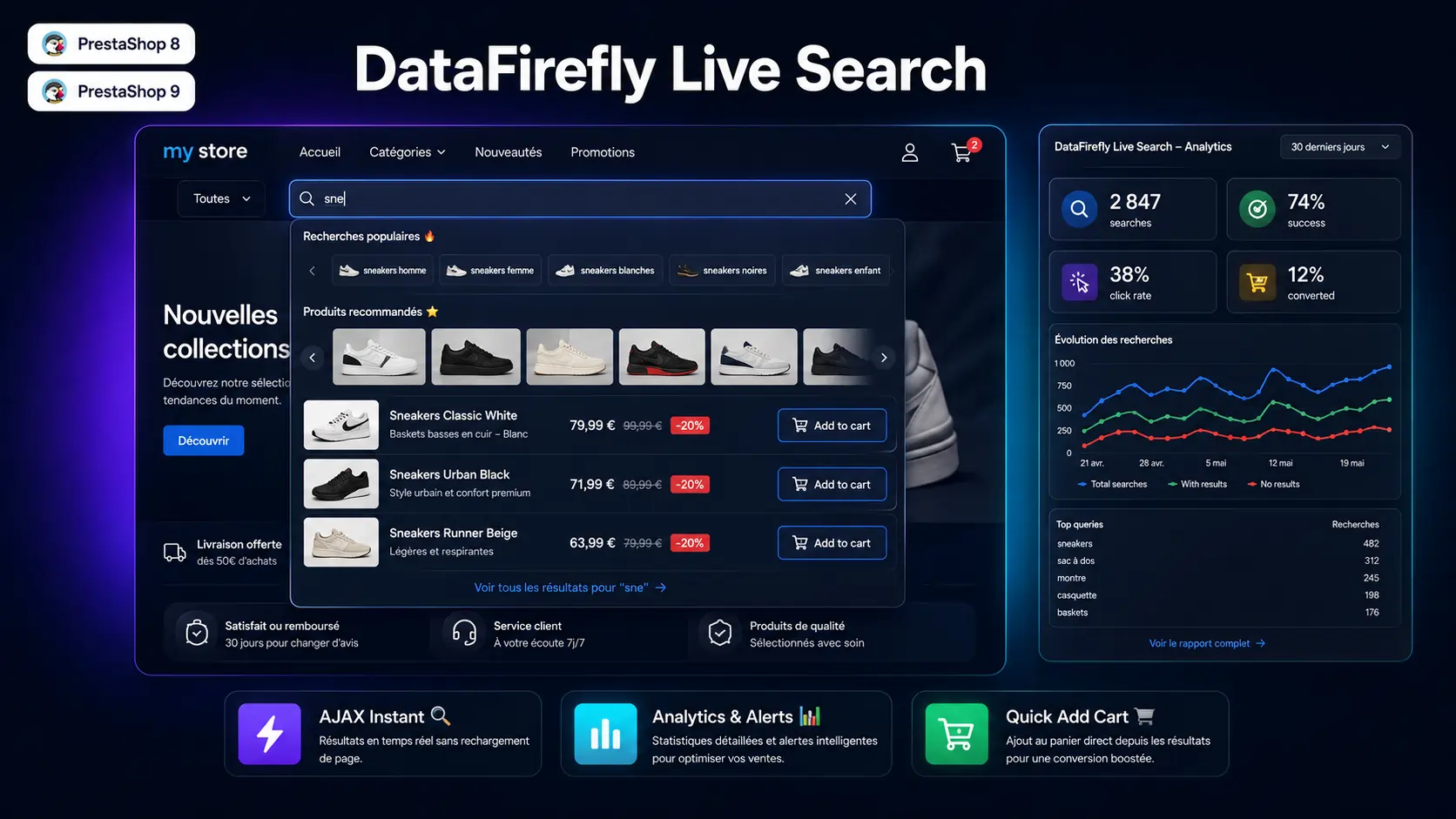
PrestaShop Backup — DfBackup
Scheduled database and file backups, AES-256 encrypted, with external storage (S3, FTP, Dropbox), one-click restore, and replication to a staging environment. The safety net to have before every update.
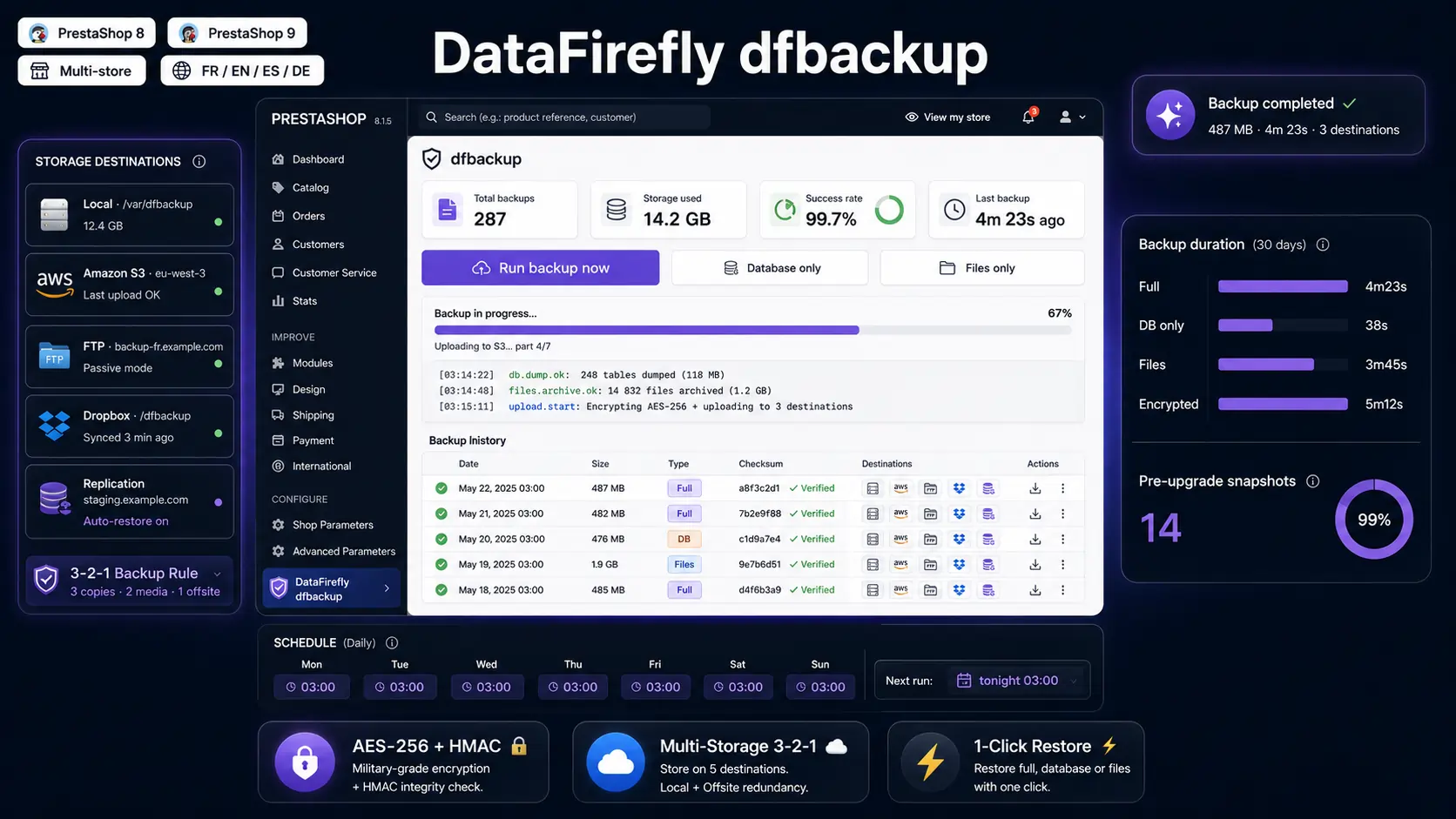
→ PrestaShop Backup — DfBackup
Product Positions — Drag & Drop
Reorder your products within categories by dragging and dropping, visually, with no SQL involved. Merchandising your category pages finally becomes clear and quick to adjust.
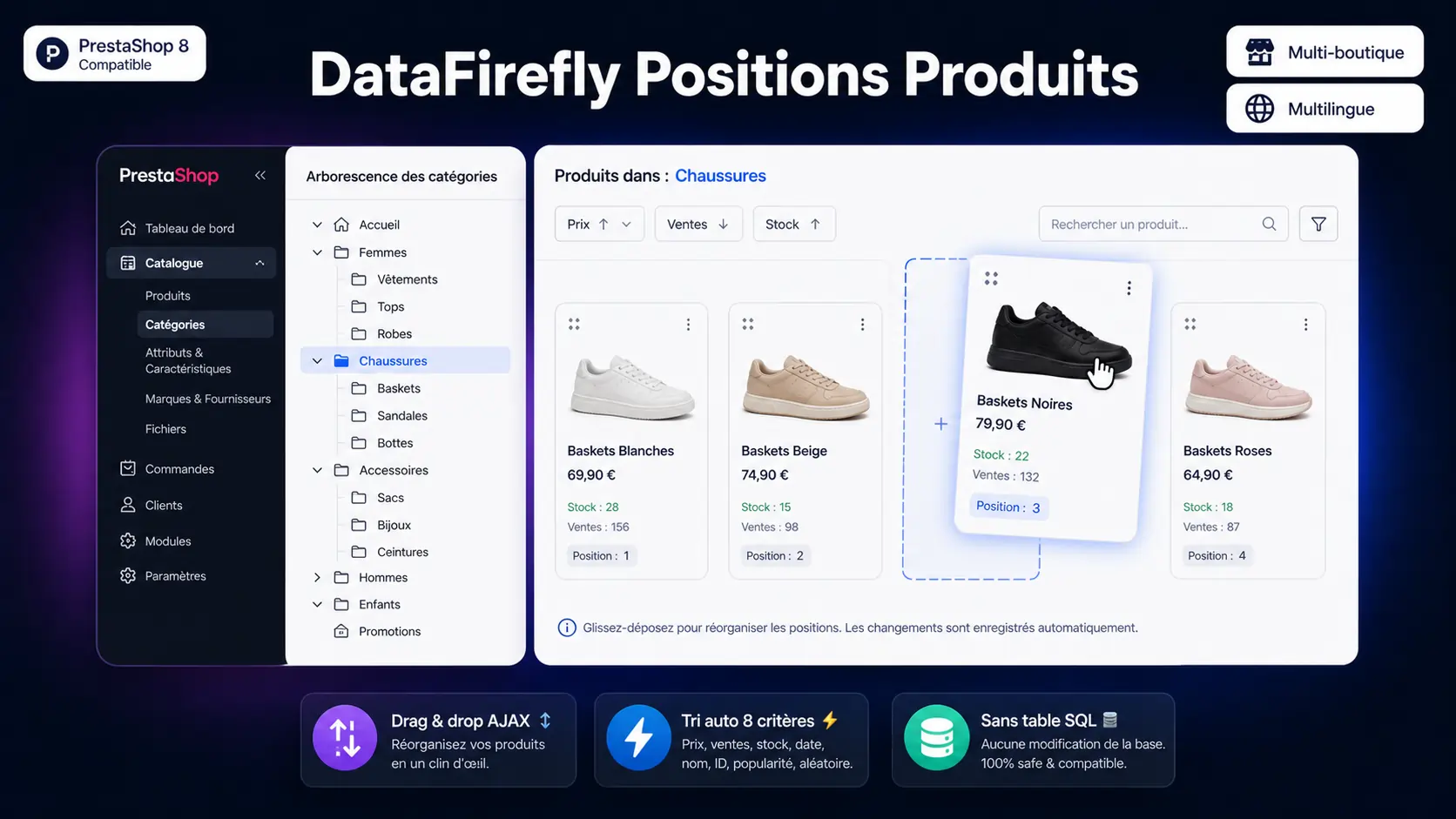
→ DataFirefly Product Positions
Verified Reviews
Collect verified customer reviews with photos, rich snippets (the stars in Google), AI-generated review summaries, and a promo code reward — all without a monthly subscription, unlike most SaaS solutions on the market.

→ DataFirefly Verified Reviews
All the modules — free and premium — can be found on the site: DataFirefly.com.