
 By PrestaTips
Since PrestaShop 9, the password reset has changed. If you’re stuck, here it is two methods:
- The classic method (via interface).
- The pro method (directly in database with bcrypt).
Are you using an older version? Check out our prestashop Guide 1.7 and 8.
Method 1: Classic email reset
- Go to your back office login page (
votre-site.com/adminXYZ). - Click “Forgot your password? “.
- Enter the email linked to the administrator account.
- Validate the link received by email (valid for 24 hours).
- Create a new password (12 characters minimum, with capital letters, numbers and symbols).
⚠️ Common problem : If the email does not arrive, check your spam or the email entered.
Method 2: Pro Reset (via database)
If the classic method doesn’t work, here it is foolproof method :
Generate a bcrypt hash
- Go to a bcrypt hash generator, for example: bcrypt-generator.com.
- Grab it new password (without adding the
cookie_key). - Generate the hash.
Example of generated hash:
Copy$2y$10$oXMi8gQcYxQS4cfRWPq2LunF929TgZG5pE5jXf8ENyuRuFUMFSNPUpdate the database
- Log in to phpmyadmin or your database management tool.
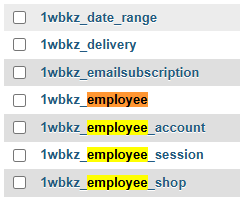
- Go to the table
employee(orps_employeedepending on your prefix). - Find the line corresponding to the user concerned.
- Replace the field
passwdby the generated bcrypt hash.

Test the connection
- Return to the login page.
- Use it new password.
✅ Result : You are connected, without depending on the email reset system.
Why does this pro method work?
PrestaShop 9 use bcrypt for hash passwords. By generating a bcrypt hash and injecting it directly into the database, you get around possible problems related to sending emails or interface restrictions.
Special cases
- If you don’t have access to phpMyAdmin : Use an SQL script via SSH or contact your host.
- If the hash doesn’t work : Check that you are modifying the correct row in the table
employee.
Conclusion
- For beginners : The classic method is sufficient in 90% of cases.
- For professionals or in case of emergency : The bcrypt method is unstoppable.
Need help with a specific step? Contact me!
[…] Reset a PrestaShop 9 password […]